Remove Duplicate Rows from a CSV

Find duplicate rows in a CSV by the columns you choose — right here in your browser, up to 5,000 rows.

Runs entirely in your browser. Your file is never uploaded — close the tab and it's gone.

Drop a CSV here or click to choose a file
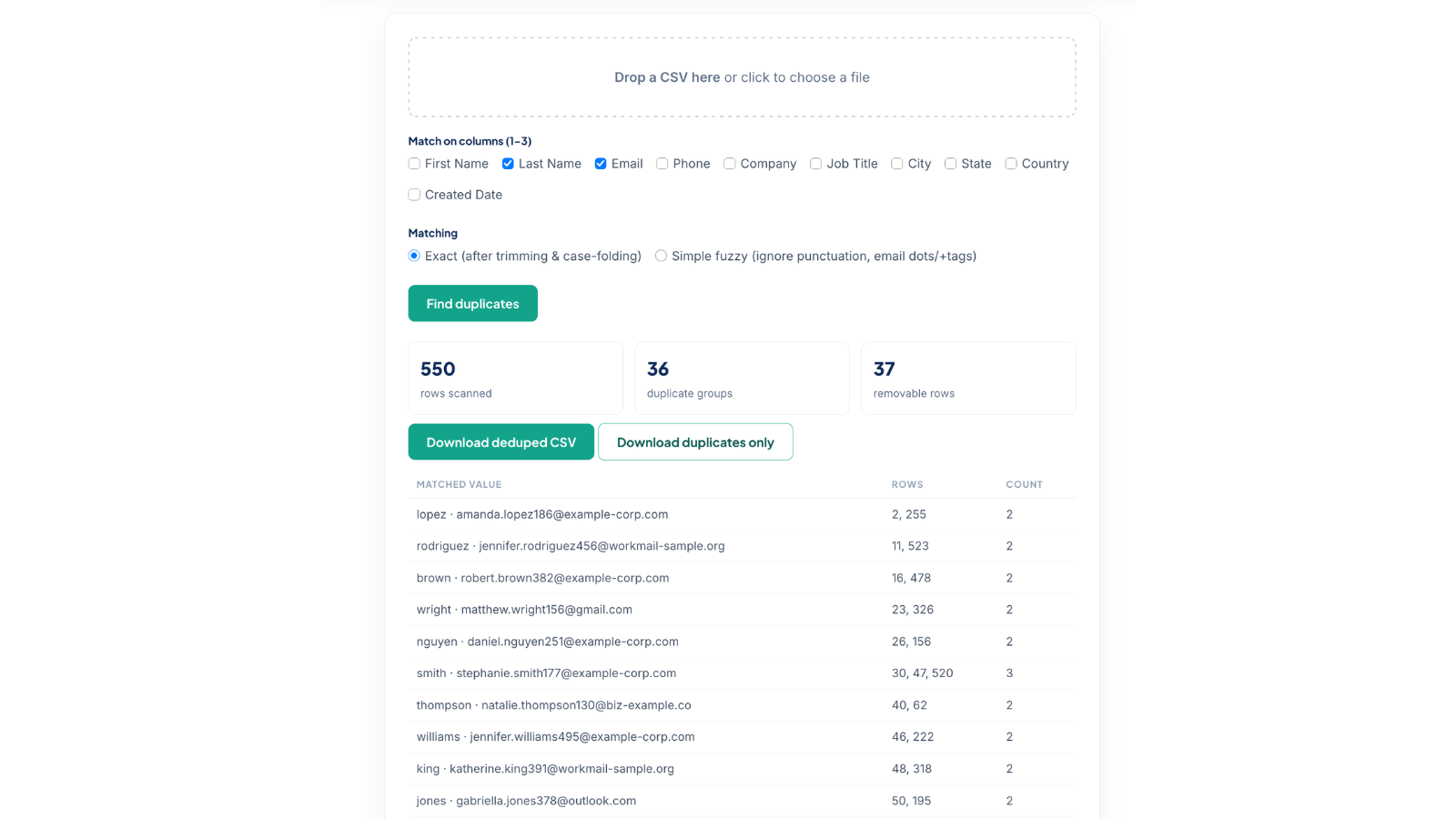
CSV Dedupe Tool showing duplicate groups found in a contacts CSV

What exact matching catches — and what it can't

This tool finds rows whose chosen columns are the same after trimming, case-folding, and (in fuzzy mode) ignoring punctuation and email dot/plus variants. That catches re-imports, copy-paste doubles, and formatting drift — usually the bulk of the count, and worth removing.

What no key comparison can see: Bob Smith at Acme Inc. and Robert Smith at ACME with different email addresses. Those need semantic matching — understanding that two records describe the same person. That's SmartMatch, and it's the reason CleanSmart exists: you review every suggested merge, export the clean file, and re-import it on your schedule.

Try it with nothing at stake

No CSV handy? Generate a test file with planted duplicates and an answer key, run it through this tool, and see exactly which planted problems exact matching catches and which it misses.

Frequently asked questions

Is my CSV uploaded anywhere?

No. The file is read and processed by JavaScript in your browser tab and never leaves it. We count usage (which tool and a rough row count), never your data. Close the tab and it's gone.

How many rows can it handle?

The first 5,000 rows are scanned for duplicates. Larger files still work: rows past 5,000 are included in the download unchanged, never dropped.

Which row is kept when duplicates are found?

The first row of each duplicate group. Download deduped CSV keeps that row and removes the rest; Download duplicates only gives you every row in each group, labeled by group and row number, so you can review them.

Can I dedupe by email only, or by several columns?

Either. Choose one to three columns to match on; rows count as duplicates only when every chosen column matches. Rows where all the chosen columns are blank are never grouped together.

What's the difference between exact and fuzzy matching?

Exact matching ignores capitalization and extra spaces. Simple fuzzy matching also ignores punctuation, and in email columns it ignores +tags (jane+news@ and jane@) and dots in Gmail addresses.

Will it catch Bob Smith and Robert Smith as the same person?

No. This tool only groups rows whose chosen columns match, so Bob Smith at Acme Inc. and Robert Smith at ACME with different email addresses stay separate. Catching that pair takes knowing Bob is short for Robert, then confirming a second field agrees, here the company. That's what SmartMatch in CleanSmart does, and a matching name on its own is never enough, so two different people who share a name aren't merged.