Format Phone Numbers to E.164

Convert a phone column to the international E.164 format every CRM and dialer understands — in your browser.

Runs entirely in your browser. Your file is never uploaded — close the tab and it's gone.

Drop a CSV here or click to choose a file
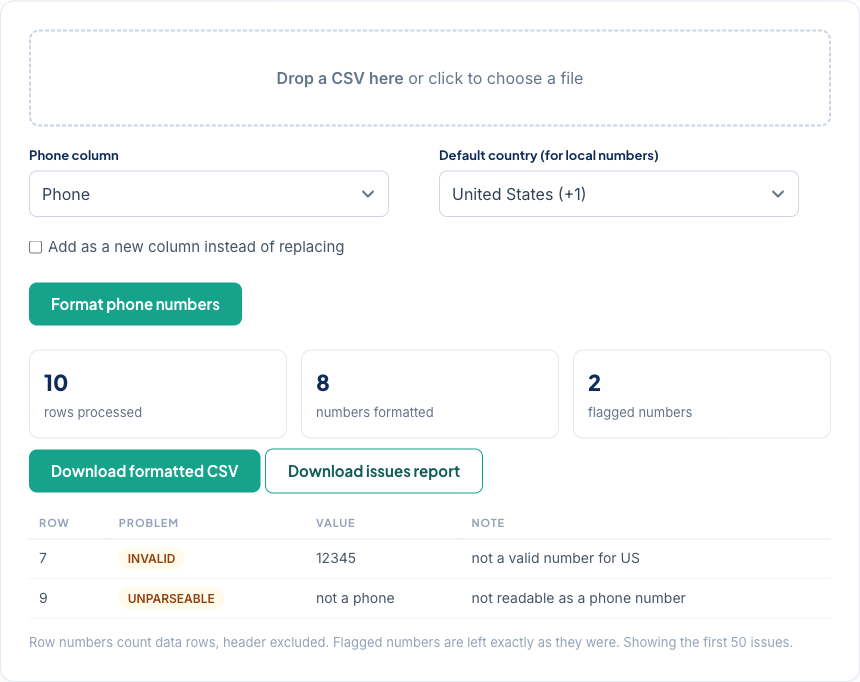
Phone Formatter converting a CSV's phone column to E.164 with invalid numbers flagged

One phone format, everywhere

The same phone number hides in CRMs as (312) 555-0142, 312.555.0142, and +1 312 555 0142 — three strings your dedupe logic, dialer, and SMS platform treat as three different contacts. E.164 collapses them into one canonical value. This tool converts a whole column at once, using Google's libphonenumber rules for every country's number patterns.

Flagged, never mangled

A value that can't be confidently formatted — a note like "call the office", a number with a digit missing — is left untouched and listed in the issues report. Cleaning a phone column is one pass of a real cleanup: in CleanSmart, AutoFormat standardizes formats while LogicGuard flags the values that don't add up, across every column at once. Run a free check to see both on your own data.

Frequently asked questions

What is E.164 and why does it matter?

E.164 is the international format — a plus sign, country code, then the number, like +13125550142. It's what CRMs, dialers, SMS platforms, and dedupe logic expect, because it makes (312) 555-0142 and 312.555.0142 the same value.

What does the default country do?

Numbers written locally — like (312) 555-0142 — don't say which country they belong to, so the default country fills that in. Numbers that already start with a country code, like +44 20…, keep it regardless of the setting.

What happens to numbers that can't be formatted?

They're left exactly as they were and flagged in the issues report — either unreadable (not a phone number at all) or invalid (wrong length or pattern for the country). The tool never overwrites a value it can't confidently format.

Is my file uploaded? How many rows can it handle?

Nothing is uploaded — formatting happens in your browser. The first 5,000 rows are processed; larger files keep their remaining rows unchanged in the download. CleanSmart formats phone columns (and everything else) with no row cap.