Four passes. One workflow.
No Friday afternoons.
SmartMatch, AutoFormat, SmartFill, and LogicGuard run in sequence on every dataset you connect. You control what gets applied — nothing changes without your sign-off.
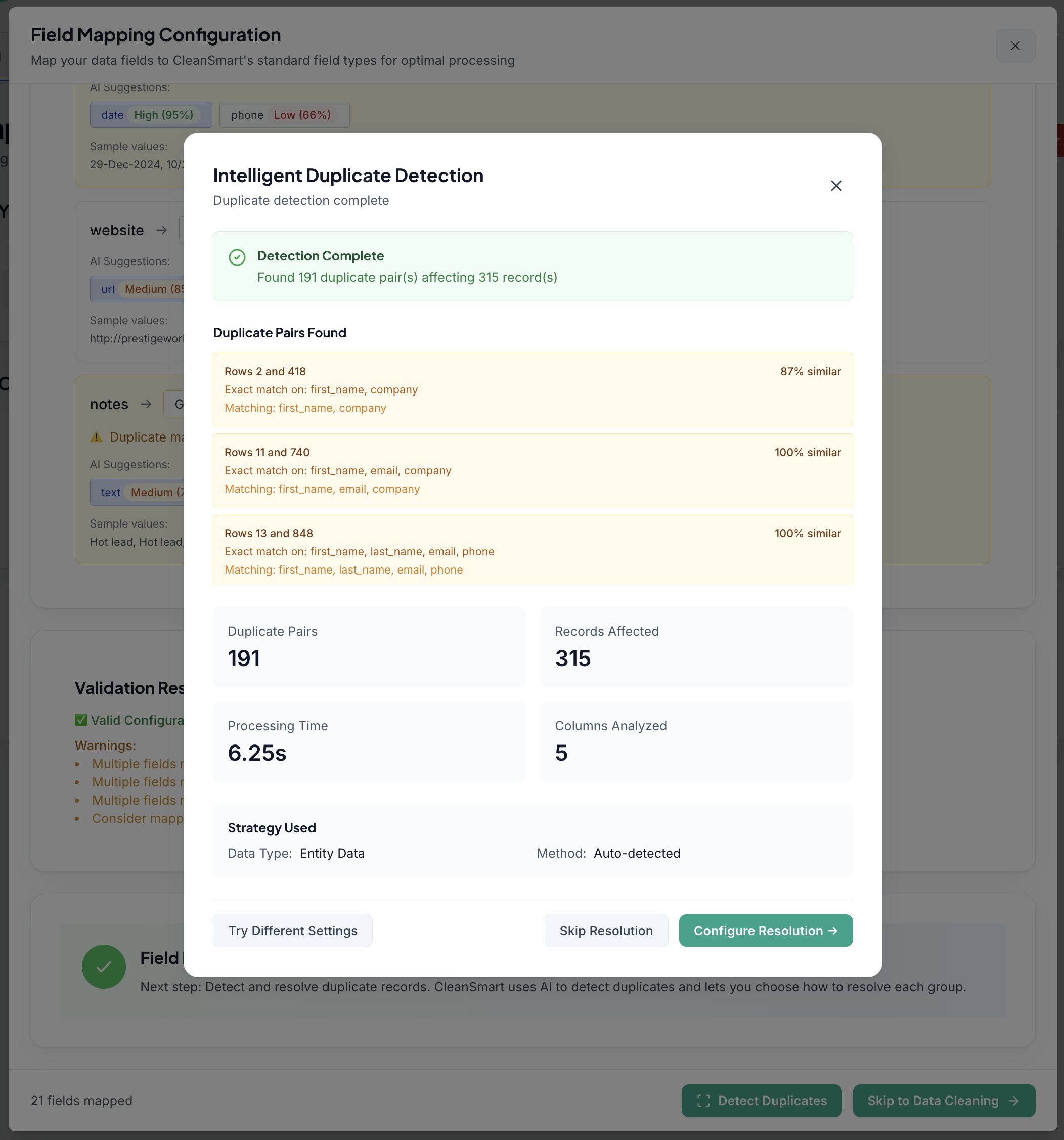
SmartMatch™ — AI deduplication that catches what exact-match misses.
Most tools only catch exact duplicates. SmartMatch uses entity resolution and learned similarity scoring to identify records that refer to the same person, company, or account — even with spelling differences, abbreviations, and name variants.
- "Bob Smith / Acme Corp" and "Robert Smith / Acme Inc." are the same record. SmartMatch finds them.
- Handles nickname variants, name inversions, and transposed phone digits
- Every merge is confidence-scored — you set the threshold
- Full audit log: who merged what, when, and why
| Name | Company | Result | |
|---|---|---|---|
| Bob Smith | Acme Corp | bob@acme.com | Duplicate |
| Robert Smith | Acme Inc. | rs@acmeinc.com | ✓ Kept |
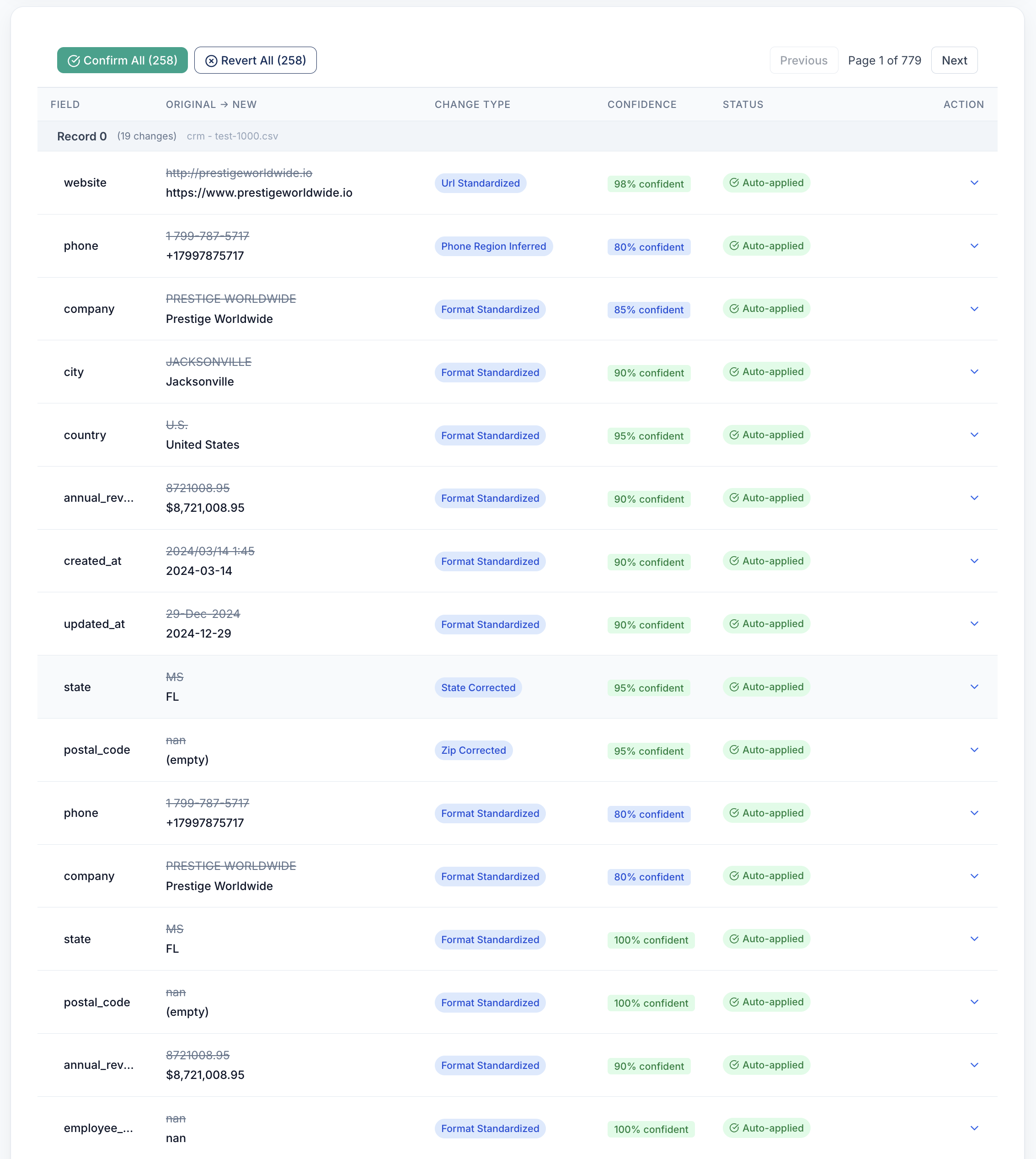
AutoFormat™ — Fix formatting everywhere, without a single regex.
Phone numbers. Email addresses. Names. URLs. Dates. Currency. Each field type has its own set of common variants, and AutoFormat knows them all. One pass converts every field to your canonical format.
- Phones: 14 input variants → one clean format (+1 (555) 123-4567)
- Names: title case, first/last split, nickname handling
- Emails: lowercase normalization, typo correction (yaho.com → yahoo.com)
- Addresses: USPS-standard street, city, state, ZIP formatting
| Field | Raw Input | Cleaned Output |
|---|---|---|
| Phone | 5551234567 | +1 (555) 123-4567 |
| JANE.DOE@YAHO.COM | jane.doe@yahoo.com | |
| Name | DOE, jane m | Jane M. Doe |
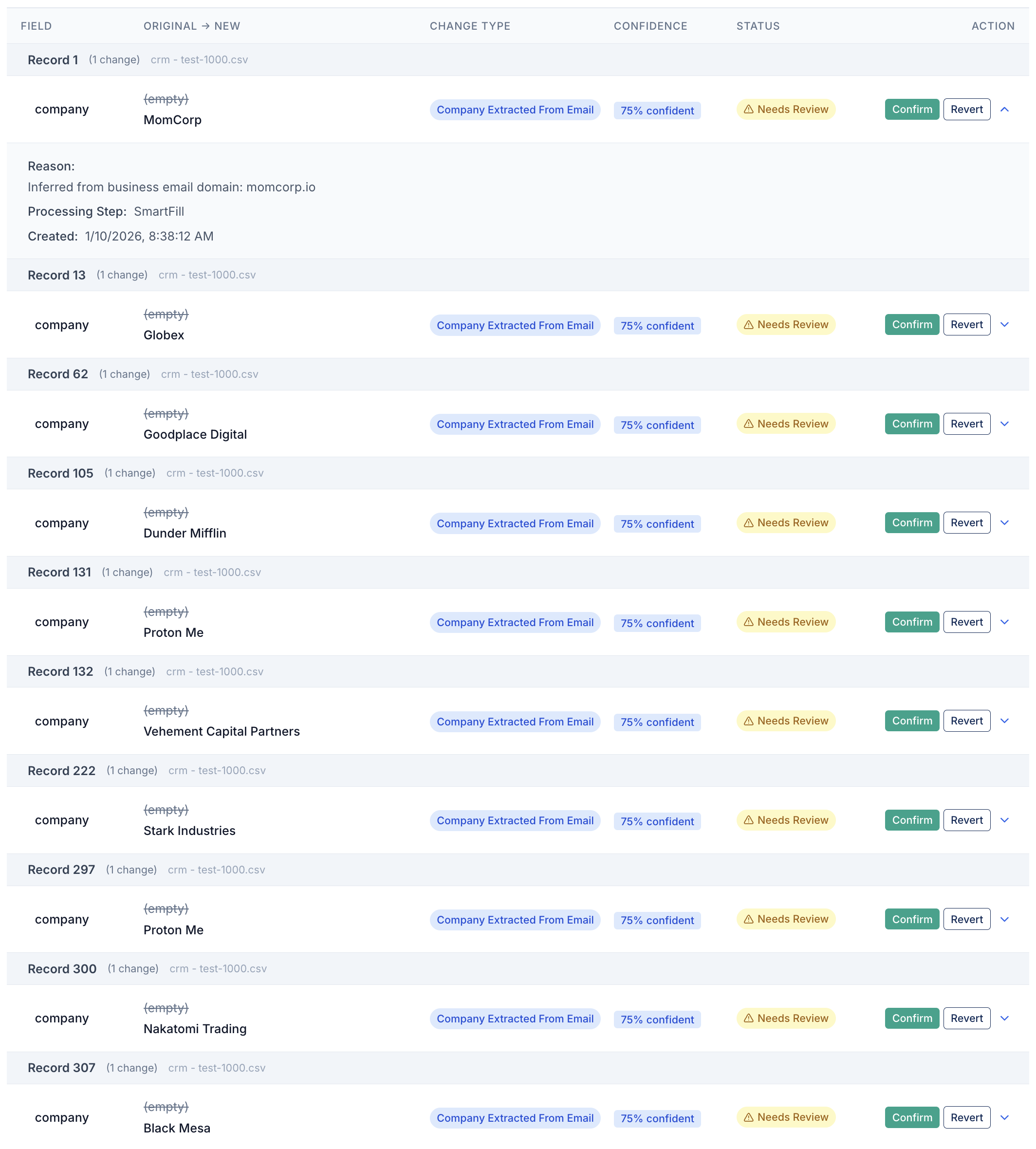
SmartFill™ — Fill gaps with confidence, not guesses.
SmartFill learns patterns within your dataset to predict missing values — using field co-occurrence, geographic lookups, and structural rules. Predictions below your confidence threshold are flagged for review, never auto-applied.
- City from ZIP code, state from city, country from phone prefix
- Company name inferred from domain in email address
- Each prediction shows a confidence percentage before you approve it
- Low-confidence fills go to a review queue, not silently into your data
| Field | Before | Predicted | Confidence |
|---|---|---|---|
| City | (empty) | Beverly Hills | 98% |
| State | (empty) | CA | 99% |
| Company | (empty) | Acme Corp? | 61% — Review |
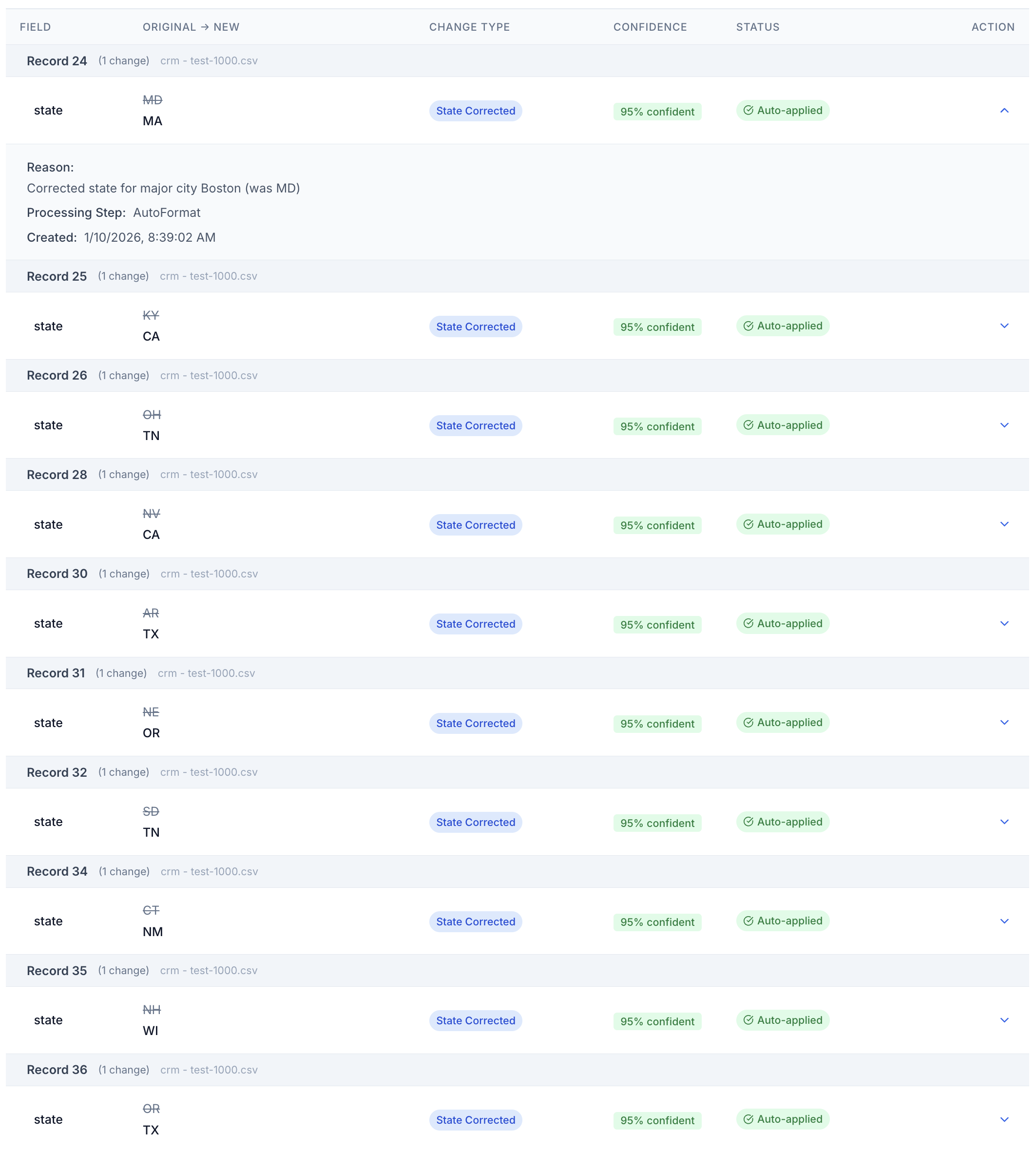
LogicGuard™ — Surface the records that look wrong. Never delete silently.
LogicGuard runs rule-based and statistical anomaly detection across every field. Age 250. Future birthdays. Phone numbers with six digits. Revenue amounts three standard deviations from the mean. Every flag goes to a review queue — nothing is ever silently removed.
- Age out of range, future birthdays, impossible dates
- Phone numbers with wrong digit counts by country
- Revenue, deal size, and numeric outliers (statistical + rule-based)
- Every flag shows which rule triggered it and why
| Record | Field | Value | Flag Reason |
|---|---|---|---|
| ID 4821 | Age | 250 | Out of range |
| ID 7302 | DOB | 2031-03-15 | Future date |
| ID 1104 | Phone | 555-123 | Wrong length |
Verification — Know which contacts will actually reach someone.
After the four passes, CleanSmart verifies every mapped email, phone, and address column. Built-in checks run on every plan at no extra cost. The Contact Verification add-on upgrades them to provider lookups, billed per check, and your Clarity report shows how many contacts passed and how many mobile numbers you can reach by SMS.
- Invalid, disposable, and role-based emails flagged on every plan
- Mailbox-level deliverability and catch-all risk with the add-on
- Carrier-confirmed mobile, landline, and VoIP for US numbers
- USPS-verified, standardized US addresses with ZIP+4
- Every failed value goes to Review & Resolve — nothing is removed without you
| Field | Built in | Contact Verification add-on |
|---|---|---|
| Syntax, mail server, disposable, role | Mailbox deliverable catch-all risk | |
| Phone | Format; line type outside US/Canada | US line type mobile, landline, VoIP |
| Address | ZIP matches city & state | USPS verified corrected, ZIP+4 |
Everything around the pipeline.

How It Works
Connect → clean → review → export. The complete flow from messy data to clean CRM, step by step.
Read the walkthrough →
Security
AES-256 at rest, TLS 1.2 in transit, per-customer isolation, and cryptographically verified deletion.
Read the security docs →
Product Demo
Watch CleanSmart clean a real, messy 1,000-row dataset from upload to export in a few minutes.
Watch the demo →Ready to run your data through the pipeline?
Upload a CSV or connect your CRM. Most datasets clean in a few minutes.
Start your free trial →No credit card required