Connect in minutes. Clean in one pass.
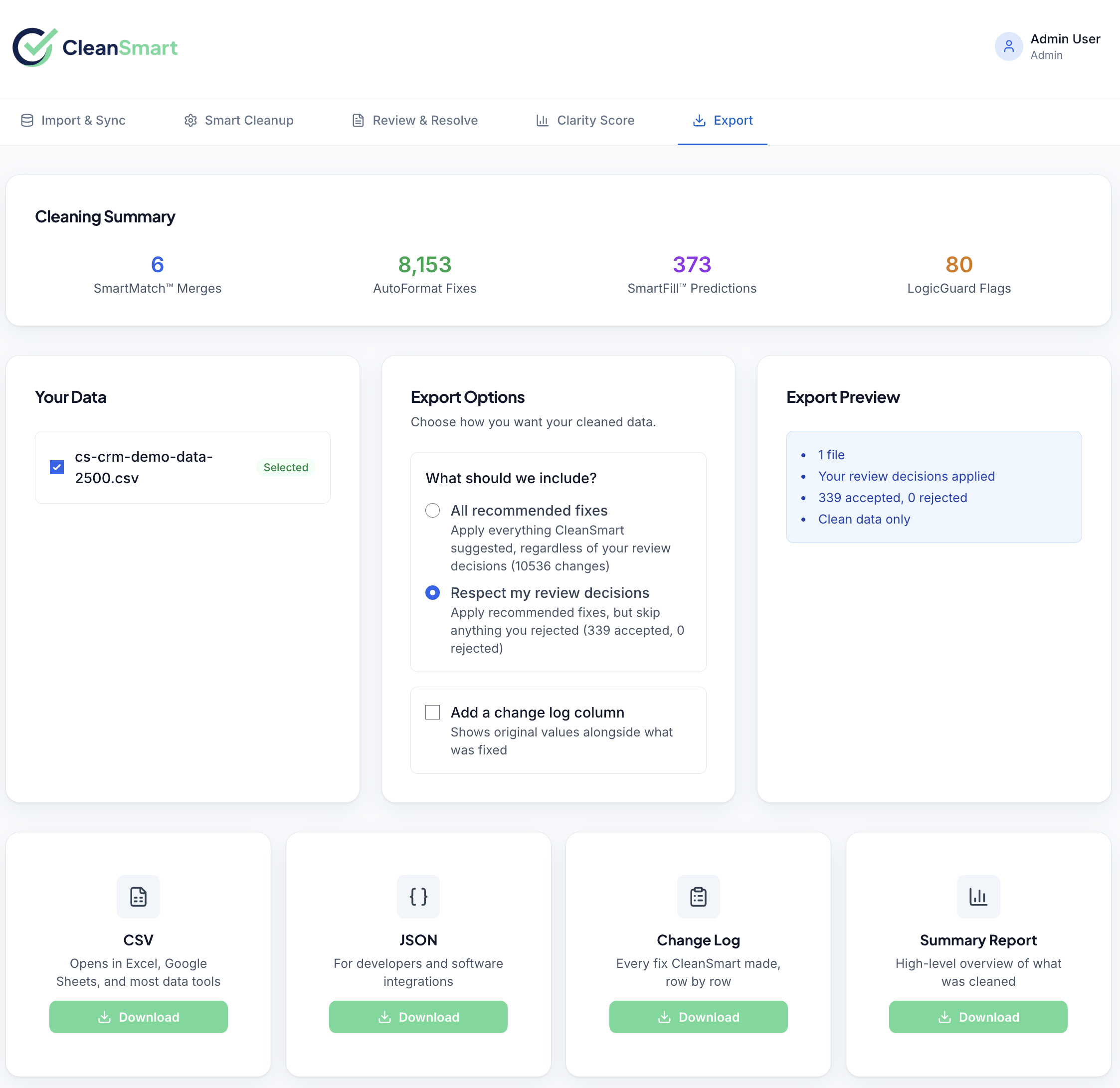
Export with confidence.
Five steps. Everything in between is automated — field mapping, deduplication, formatting, missing-value fills, and anomaly detection run automatically, one after another.
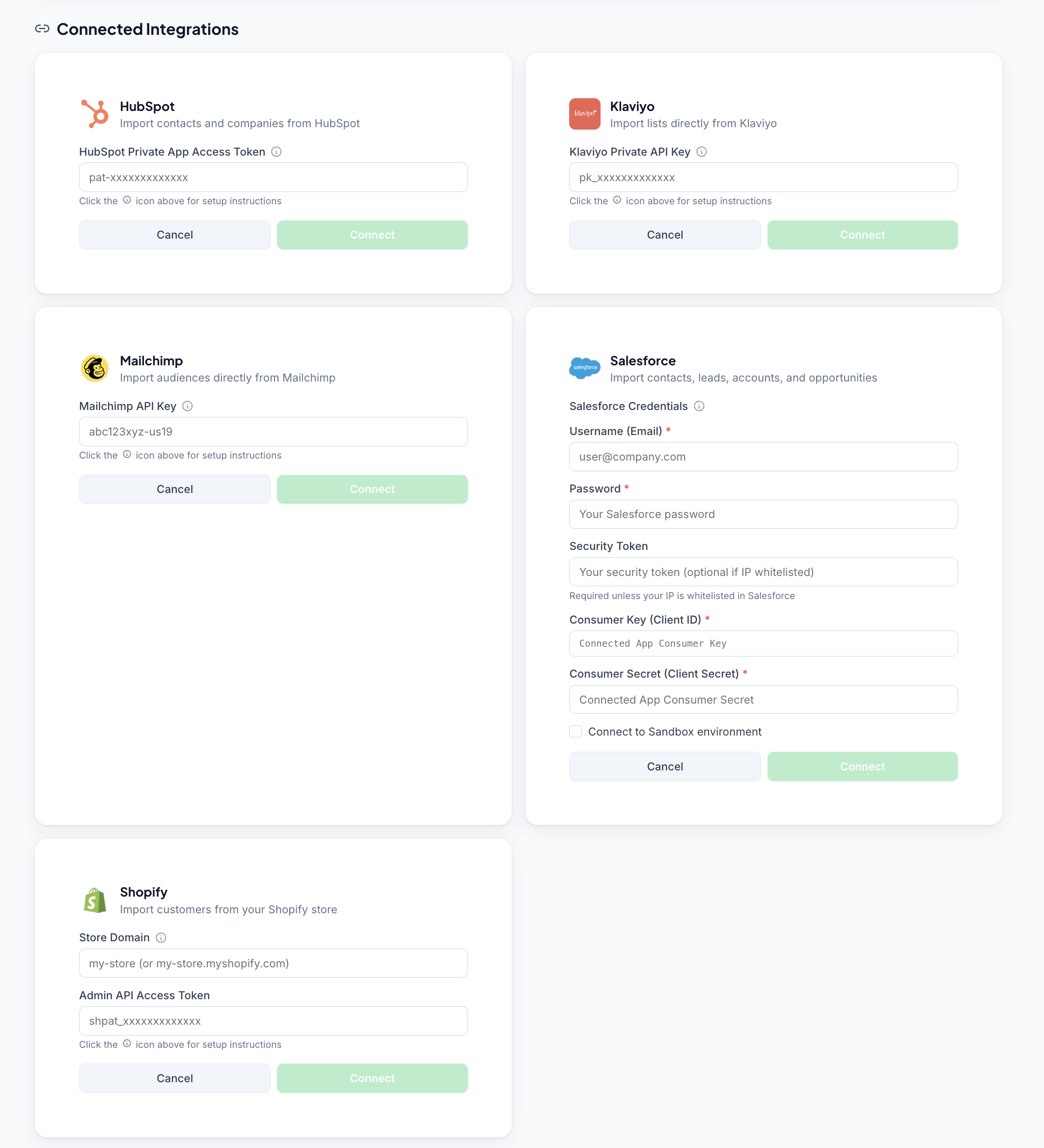
Connect your data source or upload a file.
Simply connect HubSpot, Salesforce, Shopify, Klaviyo, or Mailchimp. Or drop a CSV — no template required. CleanSmart auto-detects field types (phone, email, name, address, date, numeric) and maps columns automatically.
No manual prep. No column renaming. No schema to maintain.
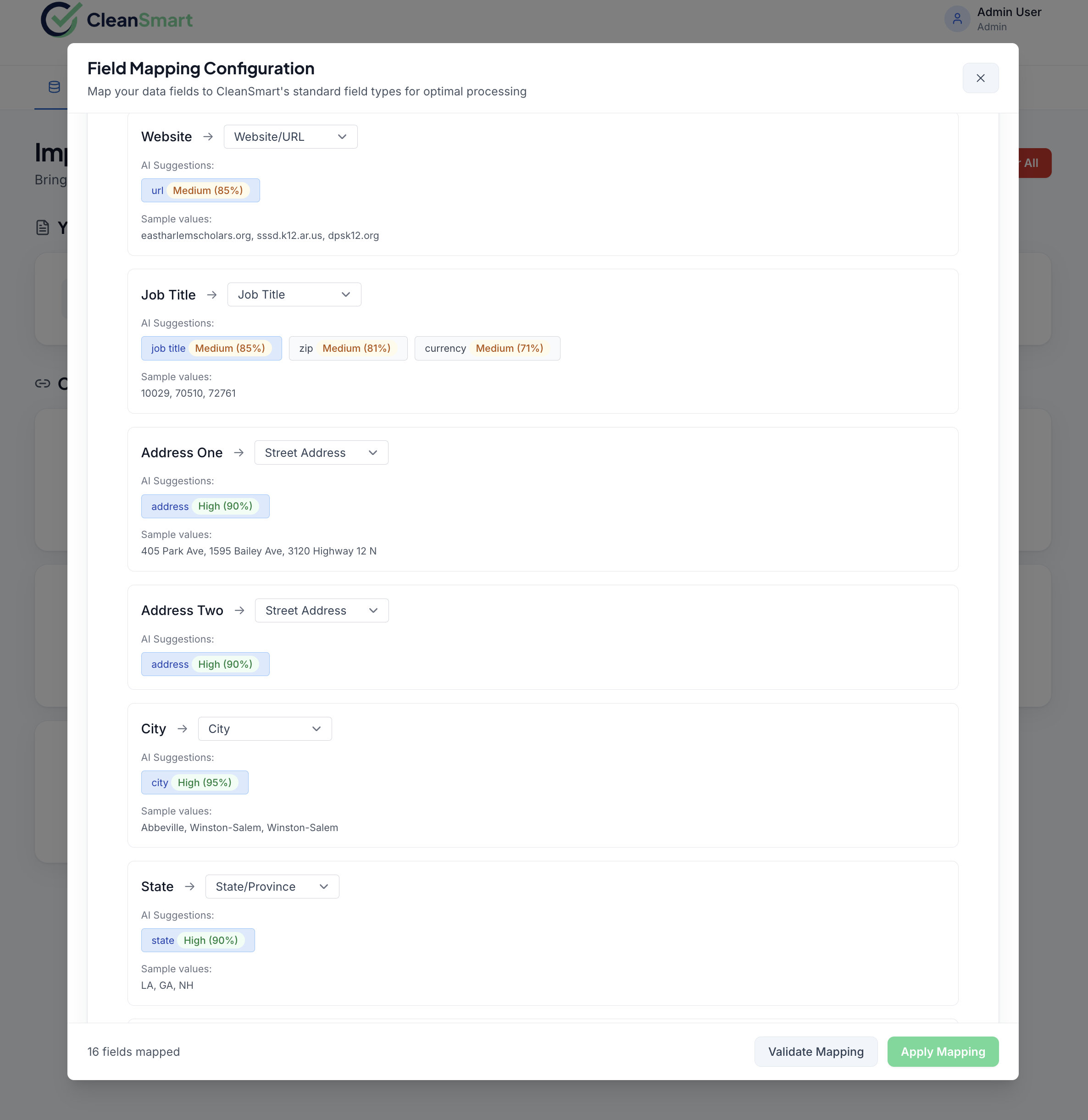
Map your fields — CleanSmart suggests, you confirm.
After connecting, CleanSmart suggests field mappings based on column names and detected data types. Review the mapping, adjust any columns that need it, and confirm. Saved mappings are reused automatically on future imports from the same source.
First import takes about two minutes. Every import after that is one click.
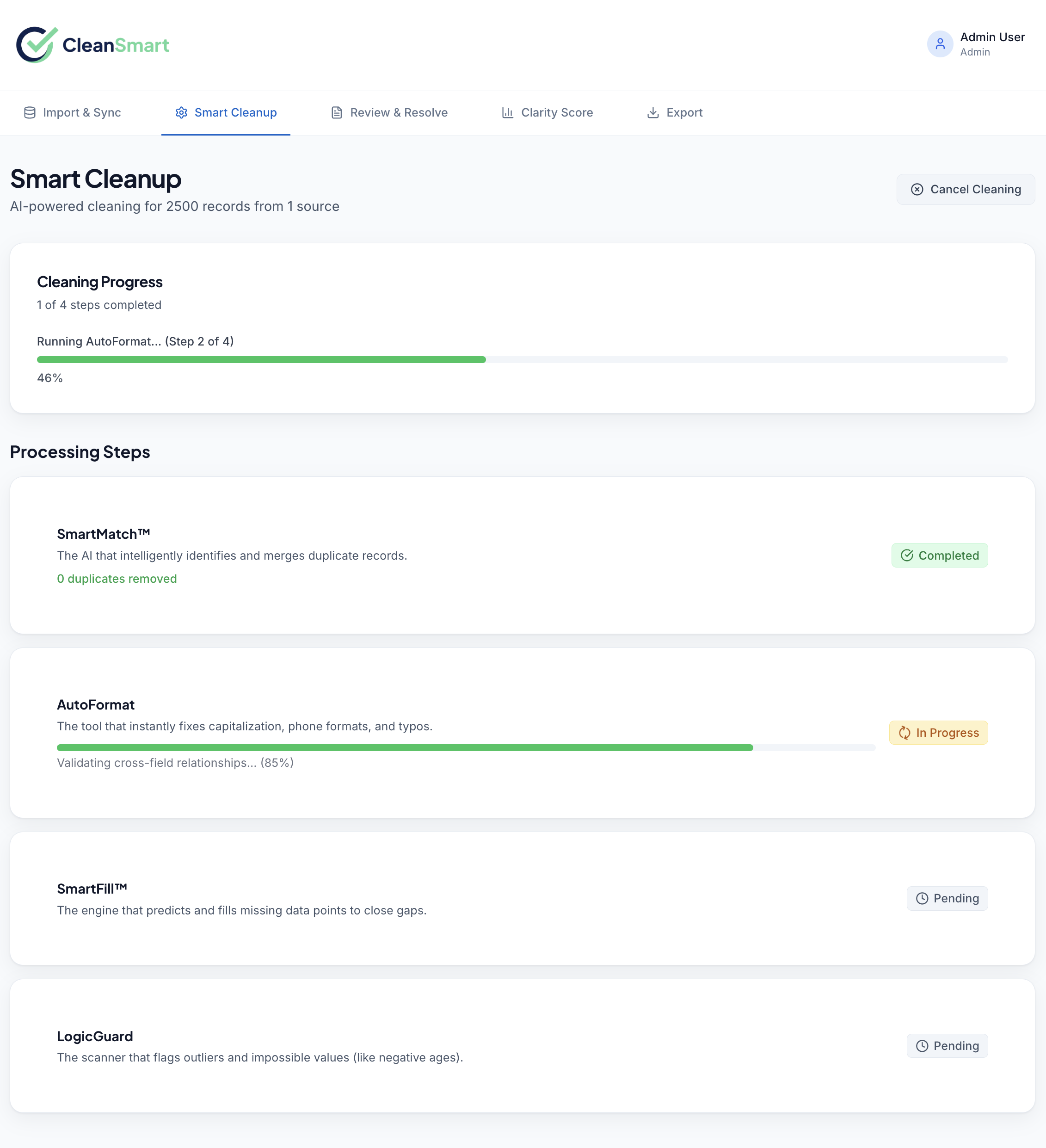
CleanSmart runs all four passes in sequence.
SmartMatch finds duplicates. AutoFormat standardizes every field. SmartFill predicts missing values. LogicGuard flags anomalies. The four passes run in sequence, automatically — most datasets of 10,000 records or fewer clean in a few minutes.
You see a live progress view as each pass completes. No waiting in a queue.
Then every contact gets verified.
CleanSmart checks every mapped email, phone, and address column on every run. Anything invalid, disposable, or inconsistent is flagged for your review, never deleted.
Built in, every plan
- Email: bad syntax, dead domains, disposable and role addresses (info@, sales@)
- Phone: malformed numbers, line type for most numbers outside the US and Canada
- Address: ZIP codes that don't match their city and state
Contact Verification add-on
- Email: confirms the specific mailbox is deliverable; flags risky catch-all domains
- Phone: carrier-confirmed mobile, landline, or VoIP for US numbers
- Address: USPS-verified US addresses, corrected and standardized with ZIP+4
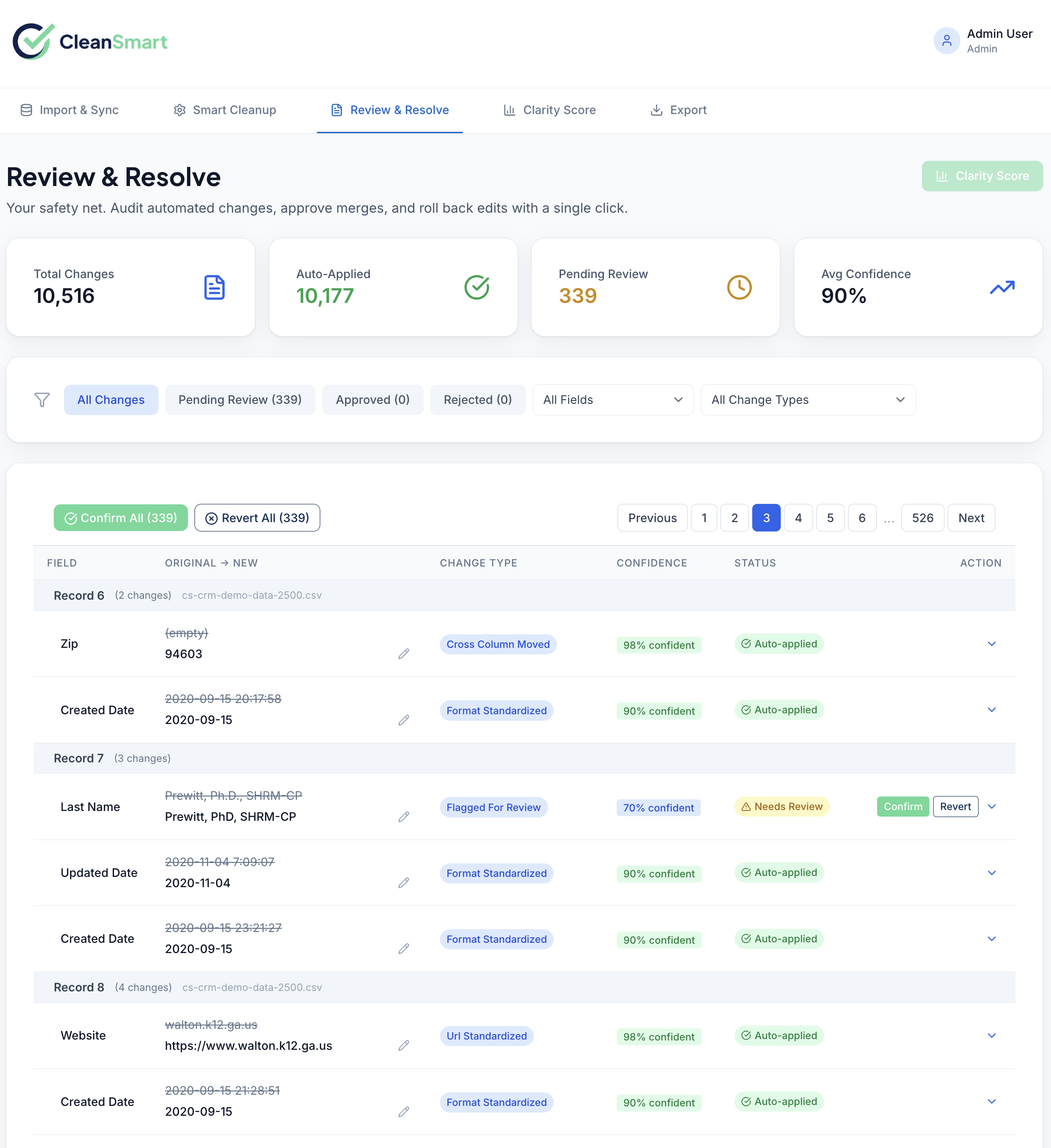
Review every change. Approve or reject, record by record.
Nothing is applied without your sign-off. The Review & Resolve queue shows every proposed change — duplicate merges, format corrections, predicted fills, anomaly flags — organized by type. Contacts that fail verification appear here too, with addresses grouped into one card per record. Approve in bulk, reject individually, or override with your own value.
The interface is designed for speed: keyboard shortcuts, batch actions, and filtered views by pass type or confidence level.
Export the clean data.
Download a clean CSV. Re-import the cleaned file into HubSpot, Salesforce, Shopify, Klaviyo, or Mailchimp whenever you're ready. Every export includes a full audit trail: every change, the pass that made it, and the timestamp.
Each verified column gets a matching verification column in the export, so you can segment by deliverability before you send. Turn it off on the Export page if you don't need it.
Re-run any dataset at any time. CleanSmart tracks diff between runs so you only review new changes.
A single number that tells you exactly how clean your data is.
The Clarity Score is a 0–100 composite data quality score, calculated after every cleaning run. It weights completeness, consistency, uniqueness, and validity, plus your contact verification results — so you can track data quality over time and across datasets.
See the whole flow on your own data.
Connect in under two minutes. Most datasets clean in a few minutes.
Start your free trial →No credit card required