Normalize Email Addresses & Catch Typos

Clean up an email column — fix case and stray characters, catch typo'd domains like gmial.com — right in your browser.

Runs entirely in your browser. Your file is never uploaded — close the tab and it's gone.

Drop a CSV here or click to choose a file
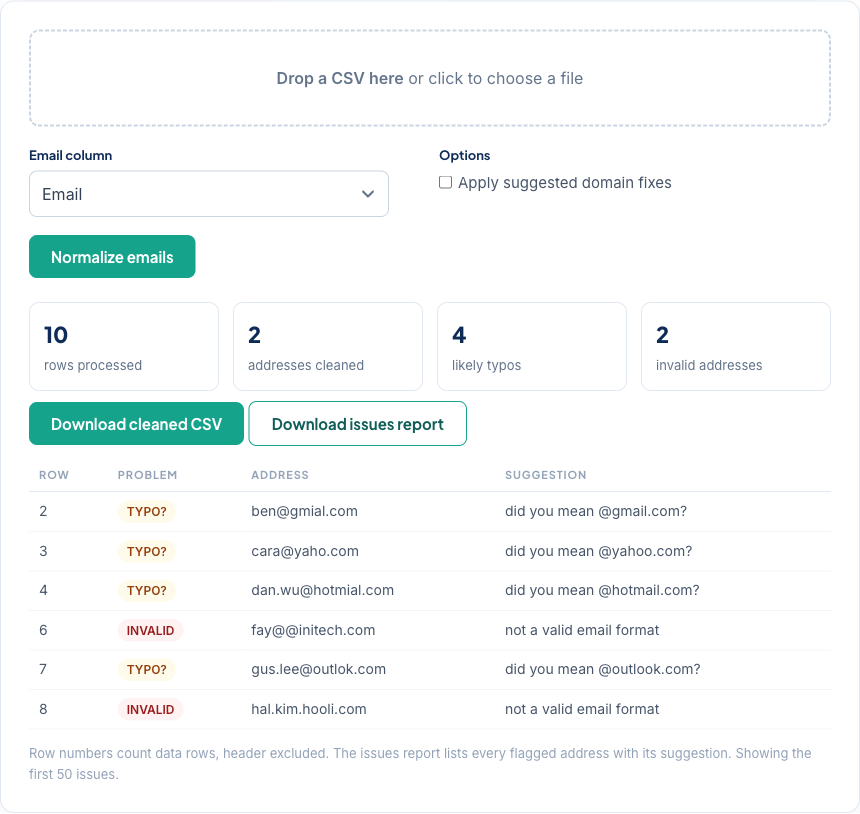
Email Normalizer showing normalized addresses and flagged domain typos in a contacts CSV

Fix the formatting, flag the guesses

Most "bad" emails in a CRM export aren't bad addresses — they're good addresses wearing bad formatting: stray spaces, capital letters, mailto: prefixes, or a name wrapped around the address. This tool fixes those outright. Domain typos like gmial.com are different: the fix is a guess, so they're flagged with a suggestion instead, and only written into the cleaned file when you opt in.

What this can't check

Whether a mailbox actually exists and accepts mail can't be tested from your browser — it needs a mail-server conversation. What a cleanup pass can do is make sure every address is well-formed first, so deliverability problems are real rather than typos. In CleanSmart, LogicGuard runs that check across every column — emails, dates, numbers — in one pass, alongside SmartMatch dedupe. No CSV handy? Generate a messy test file and watch what gets caught.

Frequently asked questions

Is my contact list uploaded anywhere?

No. The file is processed by JavaScript in your browser tab and never sent to a server. Close the tab and it's gone.

What does normalizing actually change?

Whitespace is trimmed, letters are lowercased, and wrappers like mailto: or Jane <jane@…> are stripped so only the address remains. Addresses that still don't look like emails are flagged as invalid rather than guessed at — they get the same formatting cleanup but nothing more.

How are typos like gmial.com caught?

The domain is checked against a list of known misspellings and against common mail domains one character away. Matches are flagged with a suggestion in the issues report — they're only applied to the cleaned file if you turn on Apply suggested domain fixes, because a suggestion is a guess.

Does this tell me whether an address can receive mail?

No — that requires checking the mailbox itself, which a browser tool can't do. This fixes formatting and obvious typos. In a full CleanSmart pass, LogicGuard flags malformed values across every column at the same time.