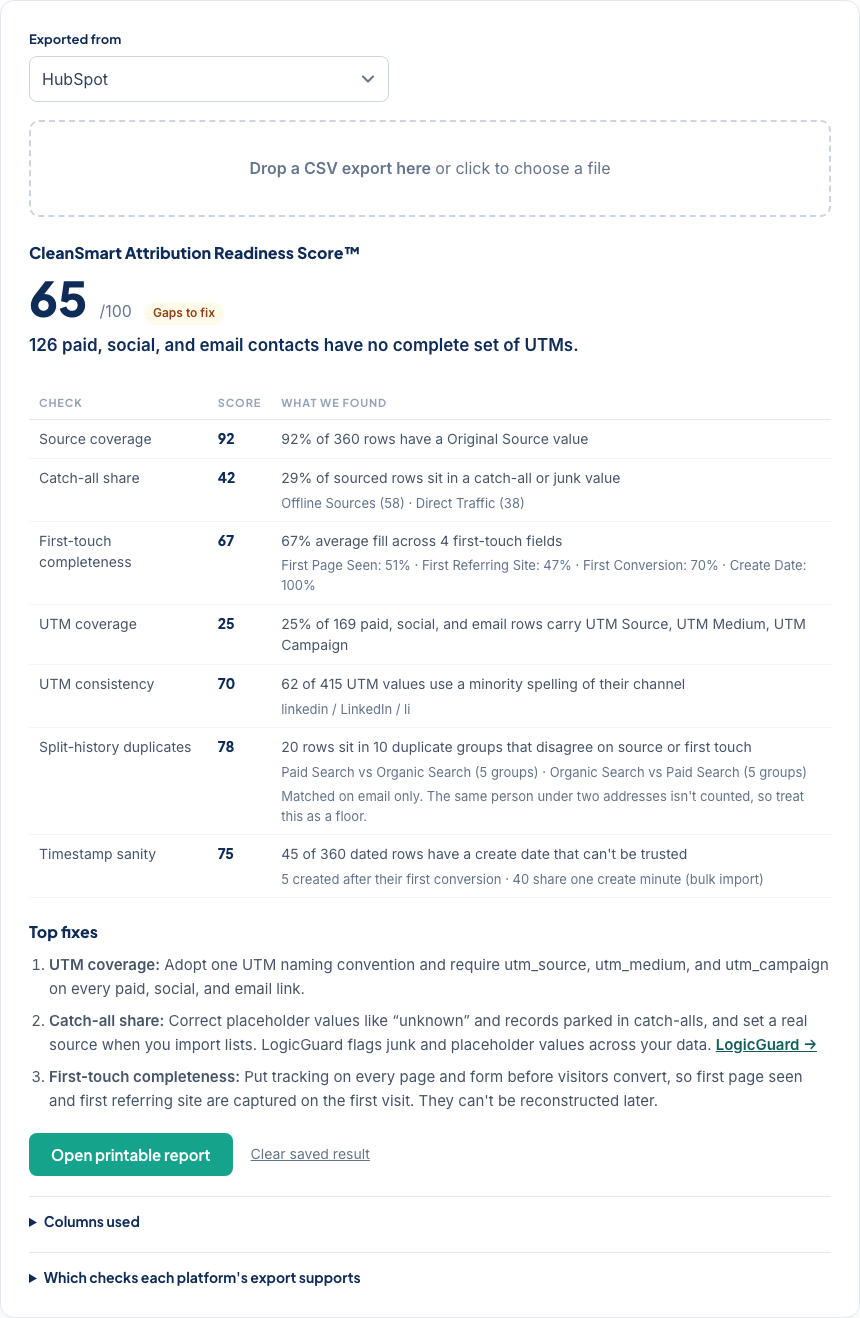
What attribution readiness means
Attribution readiness is how well your CRM data can support attribution: whether each record carries a source, a first touch, and consistent UTMs, and whether duplicates have split one person's history across several records. Attribution tools can only report what the CRM underneath them holds, so a gap here becomes a wrong channel number there.
How the score works
Coverage checks score the share of records that are filled in. Problem checks start at 100 and lose points at a multiple of the share of affected records, so 25% catch-all values scores 50. The overall score is the weighted average of the checks your export supports. It needs a source column and at least three checks to score at all.
| Check | What it measures | Weight | Penalty |
|---|---|---|---|
| Source coverage | Share of records with a source value. A blank source means the record never shows up in channel reports. | 20 | coverage |
| Catch-all share | Share of sourced records parked in catch-alls like Offline Sources or Direct Traffic, or junk like “unknown”. Inflated catch-alls hide which channels work. | 15 | 2× share |
| First-touch completeness | Average fill of the first-touch fields (first page seen, first referring site, first conversion) plus create date. Attribution models need them to place the opening touch. | 15 | coverage |
| UTM coverage | Share of paid, social, and email-sourced records that carry every UTM column. Without UTMs there's no campaign-level credit. | 15 | coverage |
| UTM consistency | Share of UTM values spelled differently from their channel's most common spelling (LinkedIn, linkedin, li). Variants split one channel into several report rows. | 10 | 2× share |
| Split-history duplicates | Share of records in email-matched duplicate groups that disagree on source or first touch. The true first touch is scattered across them. | 15 | 4× share |
| Timestamp sanity | Share of dated records created after their first conversion, dated in the future, or created in the same minute as a bulk-import block. Imports often reset source data. | 10 | 2× share |
Why duplicates break first touch
When one person exists as two records, each record holds part of their history: the paid click on one, the webinar signup on the other. A merge that simply keeps the winning record discards the rest. SmartMatch finds the duplicates exact matching misses, and CleanSmart's merges keep the original source fields and write cleaned values to new fields in your export, so the first touch survives the cleanup.
What the checker can't see
It matches duplicates on email, so the same person under two addresses isn't counted. Treat the split-history number as a floor. It only sees the columns in your export: if your source or UTM properties weren't exported, add them and check again. Dates are read month-first unless you switch the date format under Columns used, and the timestamp check always says which it used.
Re-check after cleaning
Your last result stays in this browser. Clean the data, with CleanSmart or by hand, export again, and drop the new file here. The score shows the change, and the printable report carries the before and after.