Check Your CSV Before a CRM Import

Check a CSV against HubSpot, Salesforce, Klaviyo, Mailchimp, or Shopify import rules before the import fails halfway.

Runs entirely in your browser. Your file is never uploaded — close the tab and it's gone.

Drop your import CSV here or click to choose a file
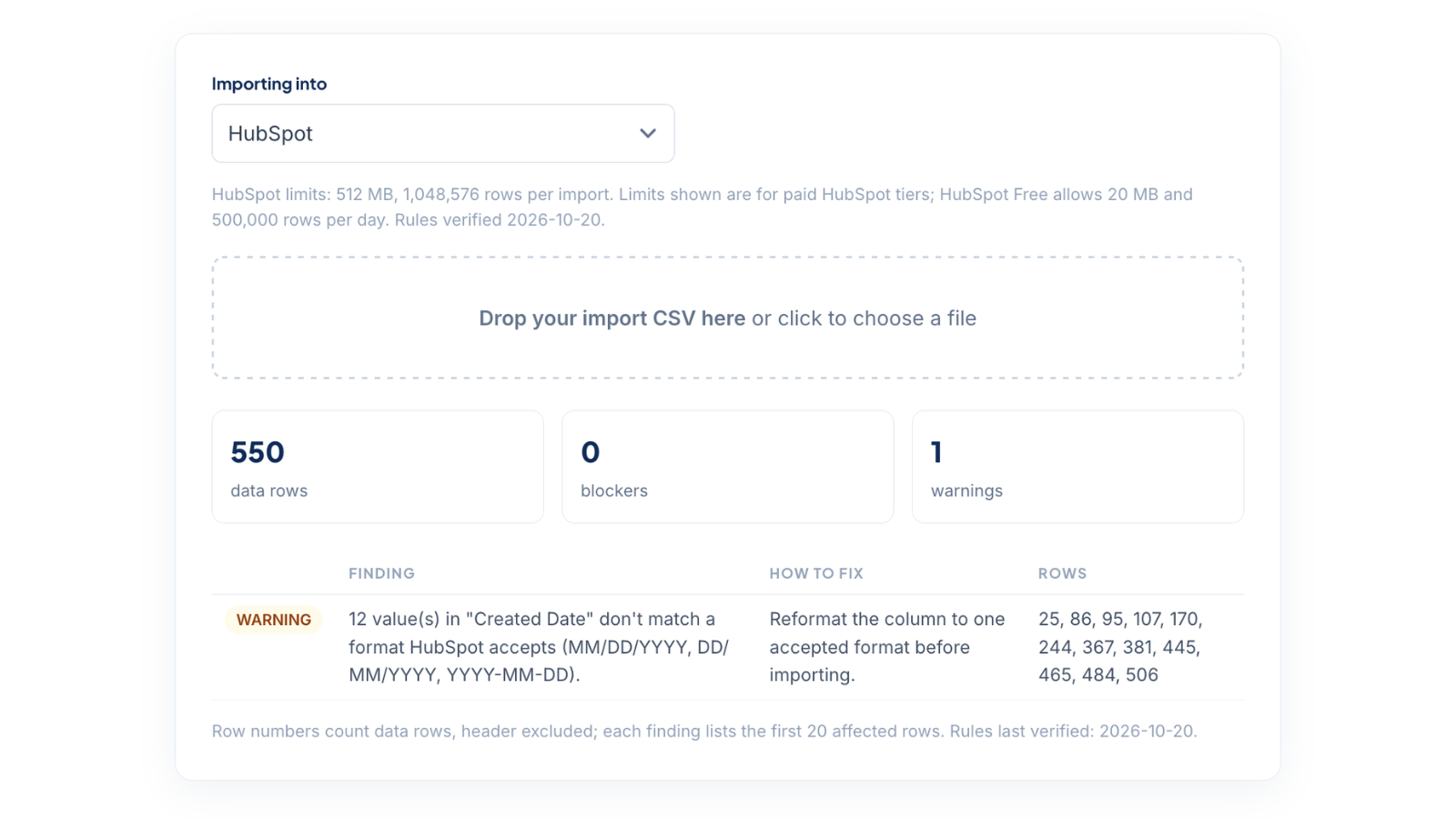
CRM Import Checker results for a 550-row file checked against HubSpot import rules, flagging dates in an unaccepted format

Why imports fail halfway

Every platform enforces its own import rules — required columns, header names, file and row limits, date formats — and most tell you about violations only after the import starts, or worse, import the good rows and silently skip the rest. This checker runs the same rules against your file first, so you fix the file once instead of re-running the import three times.

The step this belongs to

Checking the file is the last step of a cleanup loop: export from your platform, clean the data, and re-import it yourself. CleanSmart handles the middle — dedupe, formatting, filling, validation, with every change staged for your review — and hands you an export that's ready for exactly this check. Guides for each platform: HubSpot, Salesforce, Klaviyo, Mailchimp, Shopify.

Frequently asked questions

Which platforms does it check against?

HubSpot, Salesforce (Data Import Wizard), Klaviyo, Mailchimp, and Shopify. Pick the platform you're importing into and the file is checked against that platform's rules.

What does the checker look for?

File size and row limits, required columns, duplicate column headers, a missing header row, column names that won't map automatically, invalid or blank email addresses, long numbers a spreadsheet turned into scientific notation, ZIP codes that lost their leading zeros, text damaged by a non-UTF-8 export, and dates in a format the platform doesn't accept.

What are each platform's import file limits?

  • HubSpot: 512 MB, 1,048,576 rows. Limits shown are for paid HubSpot tiers; HubSpot Free allows 20 MB and 500,000 rows per day.
  • Salesforce: 100 MB, 50,000 rows. Data Import Wizard limits; the Data Loader tool handles larger files.
  • Klaviyo: 50 MB. Klaviyo publishes no row cap — the 50 MB file limit binds first.
  • Mailchimp: 200 MB, 1,000,000 rows. Row figure is Mailchimp's 'about one million contacts' guideline, not a hard cap.
  • Shopify: 15 MB. Shopify publishes no row cap — the 15 MB file limit binds first.

Is my file uploaded?

No. The check runs in your browser and the file never leaves your machine. We count usage (which tool, the platform, and a rough row count), never your data.

If the file passes, will the import definitely work?

It checks the published rules that most often break imports. Your account can add its own requirements, such as custom required properties or field mappings, that the checker can't see.

How current are the rules?

Each platform's rules were last verified against its documentation on 2026-10-20. The verified date also shows under the platform picker.