You ran your data through validation. Some records passed. Others got flagged or rejected outright. And now you're staring at your results wondering: did I just reject perfectly good data? Or worse, did I let garbage slip through?
Both problems are more common than you'd think. And they usually trace back to the same root causes.

When Validation Rules Backfire
Validation sounds straightforward. Set rules. Apply them. Clean data comes out.
Except it never works that cleanly.
The issue is that validation rules are blunt instruments. They can check whether a phone number has the right number of digits. They can verify an email contains an @ symbol. They can flag a date that's formatted incorrectly.
What they can't do is understand context. And context is where most data validation errors originate.
A rule that rejects any phone number without exactly 10 digits will throw out valid international numbers. A rule requiring a state field will reject customers from countries that don't use states. Strict date formatting kicks out records where someone entered "March 15" instead of "03/15/2025."
These aren't bad rules. They're just rules applied without considering the messiness of real data.
Common Failure Patterns (And What Causes Them)
After years of cleaning data for marketing teams, sales ops, and analysts, the same validation failures keep showing up. Here's what actually breaks:
The Format Assumption Problem
You assumed all phone numbers would arrive as (555) 123-4567. Instead you got 555.123.4567, 5551234567, +1-555-123-4567, and "call extension 5" crammed into the same field.
Format validation fails when your rules expect consistency that never existed in the source data. The fix isn't stricter rules. It's standardization before validation.
The Empty Field Dilemma
Should a missing company name fail validation? Depends. For a B2B lead list, probably yes. For an e-commerce customer database where half your buyers are consumers, rejecting every record without a company name means losing legitimate data.
Required field validation needs to match your actual use case, not some theoretical perfect dataset.
The Encoding Surprise
José becomes Jose. Müller becomes Mueller. Or worse, they become José and Müller because someone opened a UTF-8 file in Excel.
Character encoding issues slip past validation constantly because most rules don't check for encoding problems. They just see text that looks valid.
The Historical Data Trap
Your new validation rules work perfectly on new records. But your database contains 50,000 records from before those rules existed. Running retroactive validation means deciding whether to reject records that were perfectly acceptable when they were created.
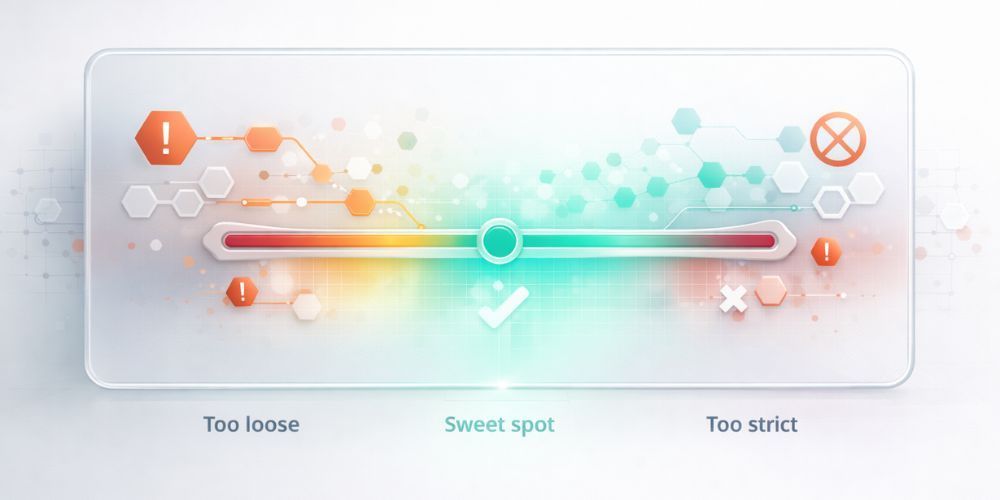
Too Strict vs. Too Loose: Finding the Balance
This is where most data cleaning processes go wrong.
Set rules too strict and you reject good data. That customer with a legitimate UK phone number? Rejected. The company name with an ampersand? Failed. The address that uses "Apt" instead of "Apartment"? Gone.
Set rules too loose and bad data flows through unchecked. Typos in email domains pass because technically "gmial.com" is a valid format. Ages of 150 don't get flagged because your rule only checks for non-negative numbers.
The right balance depends on what happens after validation.
If rejected records disappear forever: err toward loose. Better to let some questionable data through than lose valuable records permanently.
If flagged records go to human review: stricter rules make sense. You're not losing data, you're routing it for a second look.
If the data feeds a system that will break on bad inputs: strict validation is worth the false positives. A crashed email campaign costs more than a smaller list.
The problem is that most validation processes don't think about these downstream consequences. They apply rules uniformly and hope for the best.
Edge Cases That Break Everything
Every dataset has them. The records that technically should pass but feel wrong, or technically should fail but are actually correct.
Some common culprits:
Legitimate outliers. A B2B company with 500,000 employees isn't a data entry error; it's just Walmart. But your rule flagging any employee count over 10,000 doesn't know that.
Regional variations. Postal codes in Canada have letters. Phone numbers in some countries have variable lengths. Addresses in Japan follow a completely different structure than addresses in the US.
Industry-specific formats. Medical credential suffixes. Legal citation formats. Product SKUs that look like random strings but follow strict internal conventions.
User creativity. Someone put their Twitter handle in the phone number field. Another person typed "N/A" for their birthdate. A third wrote "see notes" in the address field.
Edge cases are why pure rule-based validation always fails eventually. You can't anticipate every weird thing humans will do with a form field.
Debugging Your Validation Logic
When validation isn't working, here's how to diagnose the problem:
Start with the rejects. Pull a sample of records that failed validation. How many of them contain data you actually want to keep? If more than 10% of your rejects look legitimate, your rules are too strict.
Check the passes. Grab records that made it through. Any obvious garbage? If you're seeing clearly invalid emails, impossible dates, or duplicate records, your rules need tightening.
Look for patterns in failures. If validation keeps failing on the same field, that field's rules probably need adjustment. If failures cluster around certain data sources, the issue might be with the source, not your rules.
Test incrementally. Don't change all your rules at once. Adjust one, rerun, and compare results. Otherwise you won't know which change fixed the problem (or created new ones).
Document exceptions. When you create a rule bypass for a legitimate edge case, write down why. Future you will forget, and the next person to touch this system definitely won't know.
Flag vs. Reject: Making the Right Call
Not every validation failure deserves the same response.
Reject when:
- The data will break downstream systems
- No reasonable interpretation of the value could be correct
- The record is definitely a duplicate or test entry
- Compliance requirements mandate rejection
Flag for review when:
- The data looks suspicious but could be legitimate
- You're unsure whether the rule or the data is wrong
- The record has high value despite the validation issue
- You want to learn what edge cases your rules are missing
Auto-correct when:
- The fix is unambiguous (standardizing phone formats, fixing obvious typos)
- The original value can be preserved in a log
- The correction won't change the meaning of the data
The best data cleaning processes use all three approaches in combination. Hard stops for clear errors. Human review for judgment calls. Automated fixes for predictable formatting issues.
Building Validation That Actually Helps
Good validation isn't about catching every possible error. It's about catching the errors that matter for your specific use case.
That means:
Knowing your data sources. Different sources have different quality baselines. Web form submissions will have more typos than CRM exports. Purchased lists will have more outdated information than your own customer database.
Matching rules to stakes. High-stakes data (financial records, healthcare information, legal documents) warrants stricter validation than a marketing contact list.
Building in flexibility. Rules that can flag versus reject. Thresholds that can be adjusted. Exceptions that can be documented and applied consistently.
Logging everything. What was the original value? What rule caught it? What action was taken? Without this audit trail, you can't improve your validation over time.
Testing with real data. Synthetic test data never captures the full weirdness of production data. Validate with samples from your actual sources.
Data validation errors aren't a sign that your rules failed. They're a sign that your rules are learning what they need to handle. The goal isn't perfection on the first pass. It's building a process that gets better over time.
This is exactly why we built LogicGuard into CleanSmart. Instead of binary pass/fail validation, LogicGuard uses statistical analysis to flag outliers based on your actual data patterns. Values that fall far outside the norm get flagged for review. Obvious impossibilities get caught automatically. And everything gets logged so you can see exactly what happened and why.
What's the difference between data validation and data cleaning?
Validation checks whether data meets specific rules or criteria. Cleaning actually fixes or removes problematic data. Validation tells you something's wrong; cleaning does something about it. Most effective data cleaning processes include both: validation identifies issues, then cleaning steps resolve them through standardization, correction, or removal.
How do I know if my validation rules are too strict?
Pull a random sample of records that failed validation. If more than 10-15% of those rejected records contain data you actually want to keep, your rules are likely too strict. Look specifically for legitimate international formats, industry-specific conventions, and edge cases that your rules weren't designed to handle.
Should I validate data before or after cleaning it?
Both. Run a pre-cleaning validation to understand your data quality baseline and identify obvious issues. Then run post-cleaning validation to verify that your cleaning process worked correctly and didn't introduce new problems. The pre/post comparison also helps you measure improvement and justify the effort.