You normalize your address data. Your shipping costs drop. Your carrier accepts the files without complaint. Everything's working perfectly.
Then packages start coming back.
The address normalization "fixed" 742 Evergreen Terrace Apt 3B into 742 Evergreen Ter—dropping the apartment number entirely. The customer's order is sitting in a warehouse because the driver couldn't figure out which unit to deliver to.
This is the dark side of address standardization. The tools that make your data consistent can also make it wrong. And wrong addresses cost real money: reshipping fees, customer service time, refunds, and the trust you lose when someone's order vanishes into logistics limbo.
Address normalization done right is powerful. Done carelessly, it's a shipping disaster waiting to happen.
Parsing vs. Normalization: Different Problems, Different Solutions
Before you standardize anything, you need to understand what you're actually trying to do.
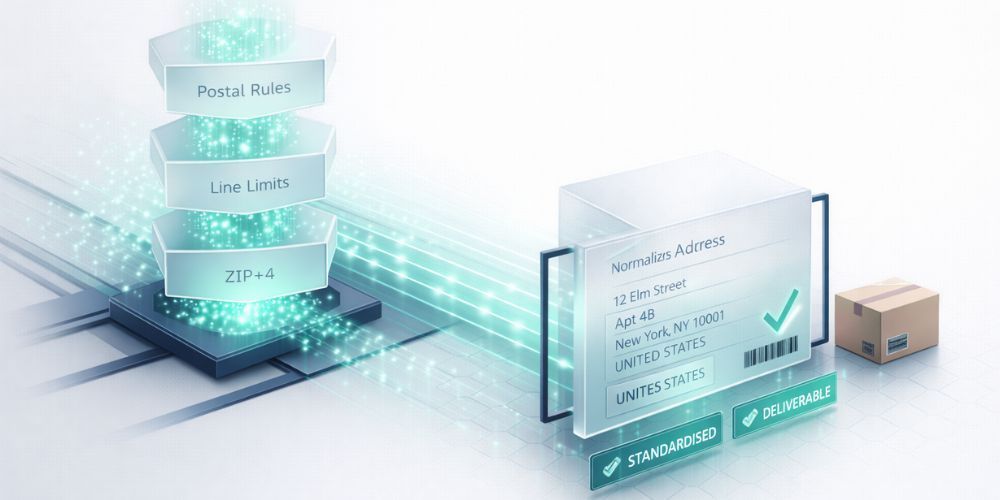
Parsing breaks an address into components. "123 Main Street, Suite 400, Chicago, IL 60601" becomes separate fields: street number, street name, unit type, unit number, city, state, ZIP. You're extracting structure from a single blob of text.
Normalization standardizes those components into a consistent format. "Street" becomes "St". "Avenue" becomes "Ave". "California" becomes "CA". You're making everything follow the same rules.
The confusion happens when people try to do both at once, or use a normalization tool when they need parsing, or vice versa. A normalization tool that receives "123 Main St Apt 3B" as a single string might abbreviate "Apartment" to "Apt"—but if the apartment number is buried in the middle of the string without clear delimiters, it might not recognize it as a unit designator at all.
Parse first. Normalize second. Trying to skip straight to standardization with messy input is how you lose apartment numbers.
The Apartment Problem (And How to Not Make It Worse)
Apartment and suite numbers are where address normalization goes to die. There's no consistent standard for how people write them, and the variations are endless.
The same unit might appear as:
- Apt 3B
- Apartment 3B
- #3B
- Unit 3B
- 3B (just the number, no designator)
- , 3B (comma-separated, no label)
- Floor 3, Unit B
Some people put it on the same line as the street address. Others put it on a separate line (Address Line 2). Some write "123 Main St 3B" with nothing to indicate that 3B is a unit and not part of the street name.
Your normalization process needs rules for all of this, and the rules need to be conservative. When in doubt, don't modify.
Here's what actually works:
- Preserve Address Line 2. If someone put their unit number in a separate field, leave it there. Don't try to "helpfully" merge it into the main address line. Many shipping carriers and systems expect unit information in Address Line 2 specifically.
- Recognize unit designators broadly. Apt, Apartment, Unit, Ste, Suite, #, Fl, Floor, Bldg, Building, Room, Rm—your system should recognize all of these and keep them intact (while maybe standardizing "Apartment" to "Apt").
- Flag ambiguous patterns for review. If you see "123 Main St 3B" with no unit designator, don't guess. Flag it for human review. The cost of a manual check is far lower than the cost of a returned package.
- Never delete what you can't identify. If your parser encounters something it doesn't recognize at the end of an address, keep it. Err on the side of inclusion. A delivery driver can usually figure out "123 Main St Apt 3B Rear" even if your system has no idea what "Rear" means.
International Addressing: Where Your Assumptions Break
If you ship internationally, everything you know about addresses is probably wrong somewhere.
The format that feels natural to Americans—number, street, city, state, ZIP—isn't universal. Many countries put the street name before the number. Some don't use street numbers at all. Postal codes come before the city in some places, after it in others, and don't exist everywhere.
A few examples that will break your normalization logic:
- Japan: Addresses work from largest to smallest—prefecture, city, district, block, building, unit. Street names are rare. "1-2-3" might mean district 1, block 2, building 3.
- UK: Postcodes are alphanumeric ("SW1A 1AA") and encode specific geographic information. The format is strict. Messing with it breaks automated sorting.
- Germany: House numbers can include letters and fractions ("23a" or "23/25"). Street names are often compound words that look like typos to American systems.
- Brazil: Addresses often include neighborhood (bairro) as a required field. Without it, delivery is unreliable.
- Rural areas everywhere: "The blue house past the church" isn't standardizable, but it might be the only address that works.
The practical answer isn't to build a universal address normalizer. It's to normalize conservatively and country-specifically.
For countries you ship to frequently, learn their formats. Build country-specific rules. For everywhere else, touch as little as possible. A slightly inconsistent but complete address is better than a standardized one that's missing critical local context.
Validation Sources: Who Actually Knows if an Address Is Real?
Normalization makes addresses consistent. Validation checks if they're actually deliverable. These are different steps, and you need both.
The gold standard for validation is the postal service itself. In the US, USPS offers Address Matching System (AMS) access through licensed providers. CASS (Coding Accuracy Support System) certification means a tool is using official USPS data.
For international addresses, each country has its own postal authority with varying levels of API access. Some are excellent (UK's Royal Mail PAF database). Others are sparse or nonexistent.
Commercial address validation services aggregate these sources and add their own data. The good ones offer:
- Confirmation that an address exists
- Standardization to postal authority format
- Geocoding (latitude/longitude)
- Deliverability scoring
- Apartment-level validation where available
The catch: none of them are perfect. Apartment-level validation, in particular, is inconsistent. Most validation services can tell you that 123 Main St is a real building with multiple units. Fewer can confirm that Apt 3B specifically exists. Brand new construction often isn't in any database yet.
So validation is a filter, not a guarantee. Addresses that pass validation are probably good. Addresses that fail definitely need attention. But passing validation doesn't mean you can skip the delivery confirmation.
Building a Review Workflow That Catches Edge Cases
Automation handles the 80% of addresses that are straightforward. The 20% that are weird need human eyes. Your workflow should separate these cleanly.
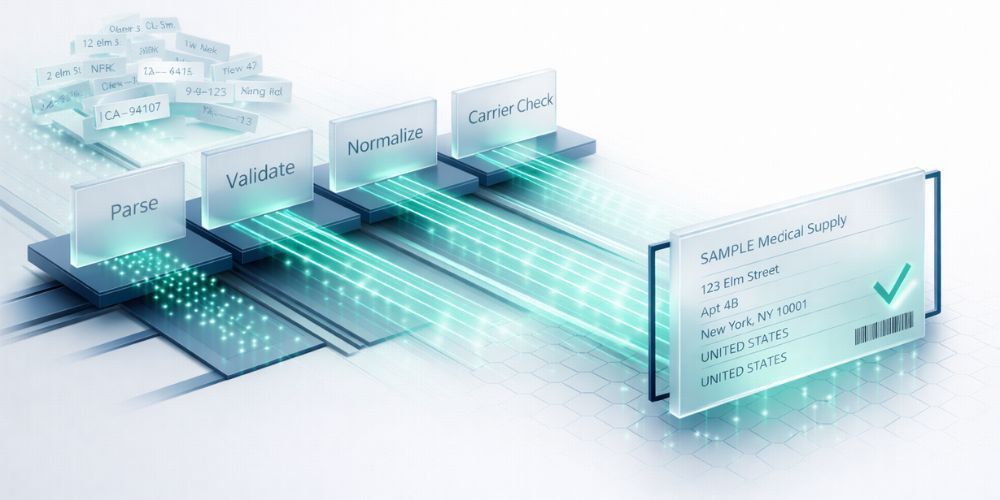
Stage 1: Automated normalization. Apply your standardization rules to everything. Abbreviate what's clear. Format consistently. Log what changed.
Stage 2: Automated validation. Run every address through your validation service. Flag failures and low-confidence results.
Stage 3: Automated flagging. Beyond validation failures, flag specific patterns that deserve review:
- Addresses where your normalizer modified or removed anything it didn't fully recognize
- Unit information that moved or changed format
- International addresses you can't validate against an authoritative source
- Addresses with unusual length (very short or very long)
- Exact duplicates with different unit numbers (might indicate data entry errors)
Stage 4: Human review queue. Someone looks at the flagged addresses before they ship. The review UI should show the original address, what the system changed, and why it was flagged. Make it easy to approve the normalization, revert to original, or manually correct.
The ratio of automation to review depends on your volume and error tolerance. High-value shipments deserve more review. If you're shipping $10 items, you might accept a higher error rate to keep operations moving.
But here's the key: the workflow should exist. "We'll fix it when it breaks" means you're catching problems after packages are already misdelivered.
When to Leave an Address Alone
The best normalization systems know when to stop.
If an address passes validation as-is, maybe don't change it. The customer wrote it that way for a reason. Their mail carrier knows that "123 N Main" and "123 North Main Street" go to the same place.
If you're not confident about a change, don't make it. Flag for review instead. A conservative normalizer that misses some standardization opportunities is better than an aggressive one that breaks deliverability.
If the address is international and you don't have country-specific rules, touch as little as possible. Lowercase to uppercase is probably fine. Rearranging field order is risky. Abbreviating words you don't recognize is asking for trouble.
The goal isn't perfectly formatted data for its own sake. The goal is packages reaching people.
Start With a Sample
Export a few hundred addresses from your system and run them through CleanSmart's standardization. Review what changed. Check the edge cases. See how it handles your specific data patterns before normalizing your entire database.
What's the difference between address normalization and address validation?
Normalization standardizes format—turning "Street" into "St" and "California" into "CA" so everything follows the same conventions. Validation confirms that an address actually exists and can receive mail. You typically normalize first to clean up the format, then validate against postal authority databases to confirm deliverability. An address can be perfectly normalized but still invalid if the building doesn't exist.
Should I normalize addresses on data entry or in batch processing?
Both, ideally. Real-time normalization at entry catches obvious formatting issues and can offer autocomplete suggestions that improve accuracy. But batch processing lets you apply consistent rules across your entire database and catch issues that slipped through. The real-time pass handles the easy cases; the batch pass catches what it missed and applies any updated normalization logic.
How do I handle addresses that validation services can't verify?
Don't assume unverifiable means undeliverable. New construction, rural addresses, and some international locations legitimately can't be validated. For these, preserve the original address as entered, flag it for manual review, and consider reaching out to the customer to confirm. Some businesses maintain an internal "known good" list of addresses that fail validation but have successfully received deliveries before.
What's the difference between address normalization and address validation?
Normalization standardizes format—turning "Street" into "St" and "California" into "CA" so everything follows the same conventions. Validation confirms that an address actually exists and can receive mail. You typically normalize first to clean up the format, then validate against postal authority databases to confirm deliverability. An address can be perfectly normalized but still invalid if the building doesn't exist.
Should I normalize addresses on data entry or in batch processing?
Both, ideally. Real-time normalization at entry catches obvious formatting issues and can offer autocomplete suggestions that improve accuracy. But batch processing lets you apply consistent rules across your entire database and catch issues that slipped through. The real-time pass handles the easy cases; the batch pass catches what it missed and applies any updated normalization logic.
How do I handle addresses that validation services can't verify?
Don't assume unverifiable means undeliverable. New construction, rural addresses, and some international locations legitimately can't be validated. For these, preserve the original address as entered, flag it for manual review, and consider reaching out to the customer to confirm. Some businesses maintain an internal "known good" list of addresses that fail validation but have successfully received deliveries before.